

Note: This guide is primarily for AI subscription users in mainland China who don’t have a credit card issued by a foreign bank. However, the same approach works for users in other countries as well.
Here’s the key takeaway: if you don’t have a credit card issued by a foreign bank, subscribing through in-app purchase on the App Store is currently the most stable way to get official AI subscription plans from major overseas providers.
Background
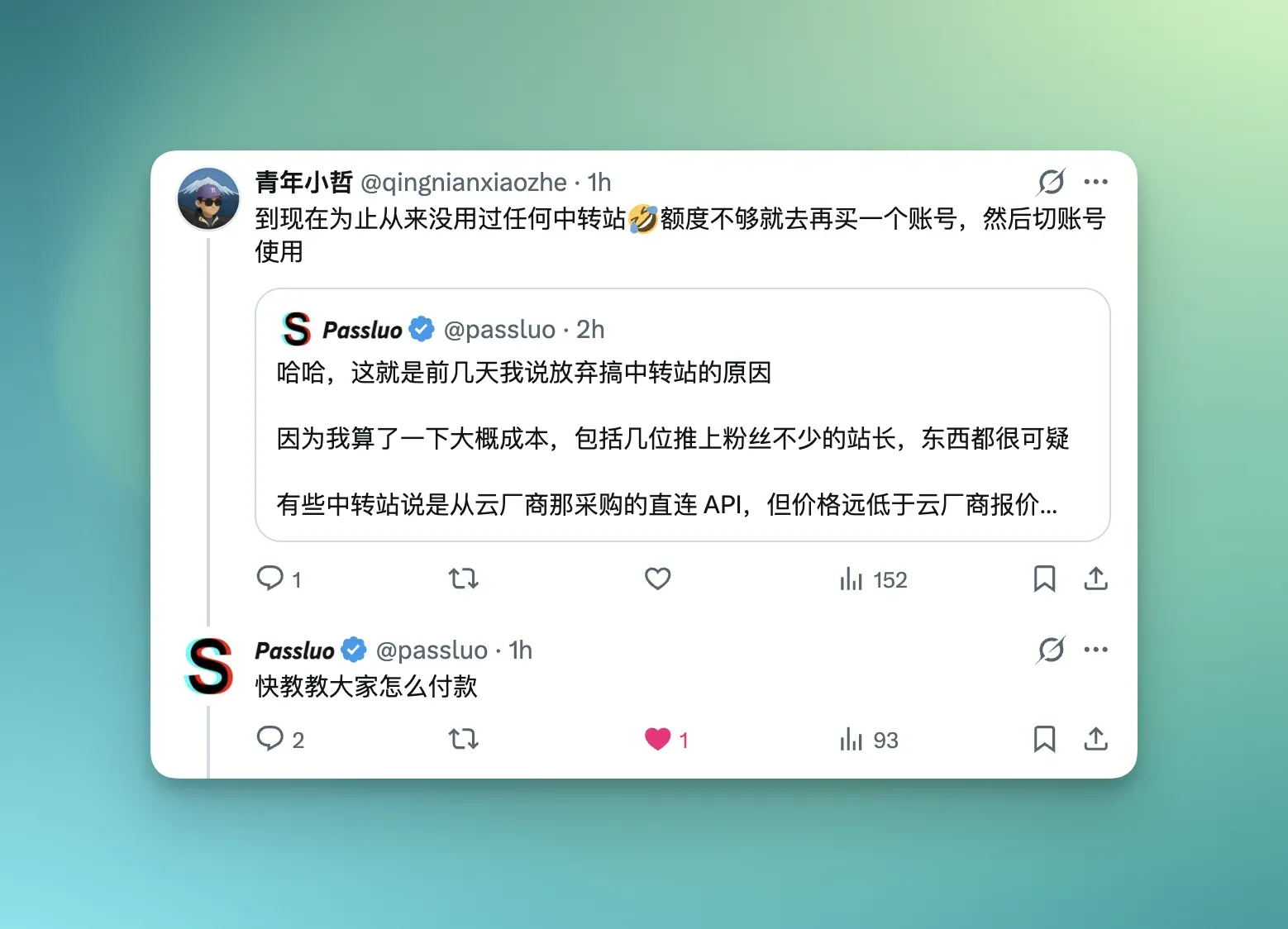
I saw Passluo on Twitter discussing a research paper auditing AI proxy/reseller services in China. The main finding was that most domestic AI reseller services don’t actually provide the official, full-powered API — some aren’t even using the same model. As users, when we see reseller API prices far below the official rate, we should already have a gut feeling about this — the price itself tells the story.
My Subscriptions
Since I started using ChatGPT heavily in 2023, I haven’t used a single reseller service. Here’s what I’ve subscribed to:
- ChatGPT Plus — account registered in 2023, continuously active to this day, never banned
- Claude Pro Account #1 — subscribed since mid-2024, stable for over a year
- Claude Pro Account #2 — when the first account’s quota ran out and Max was too expensive, I added a second account as a 2x workaround
- GitHub Copilot Pro — subscribed since 2024, renewed on and off
With these subscriptions plus Google AI Pro, I now have more Claude Opus 4.6 usage than I can possibly consume. Add in occasional Codex usage, and I genuinely can’t use it all.
The two screenshots below show my App Store subscriptions. You’ll notice other essentials like iCloud+ and YouTube alongside the AI services.
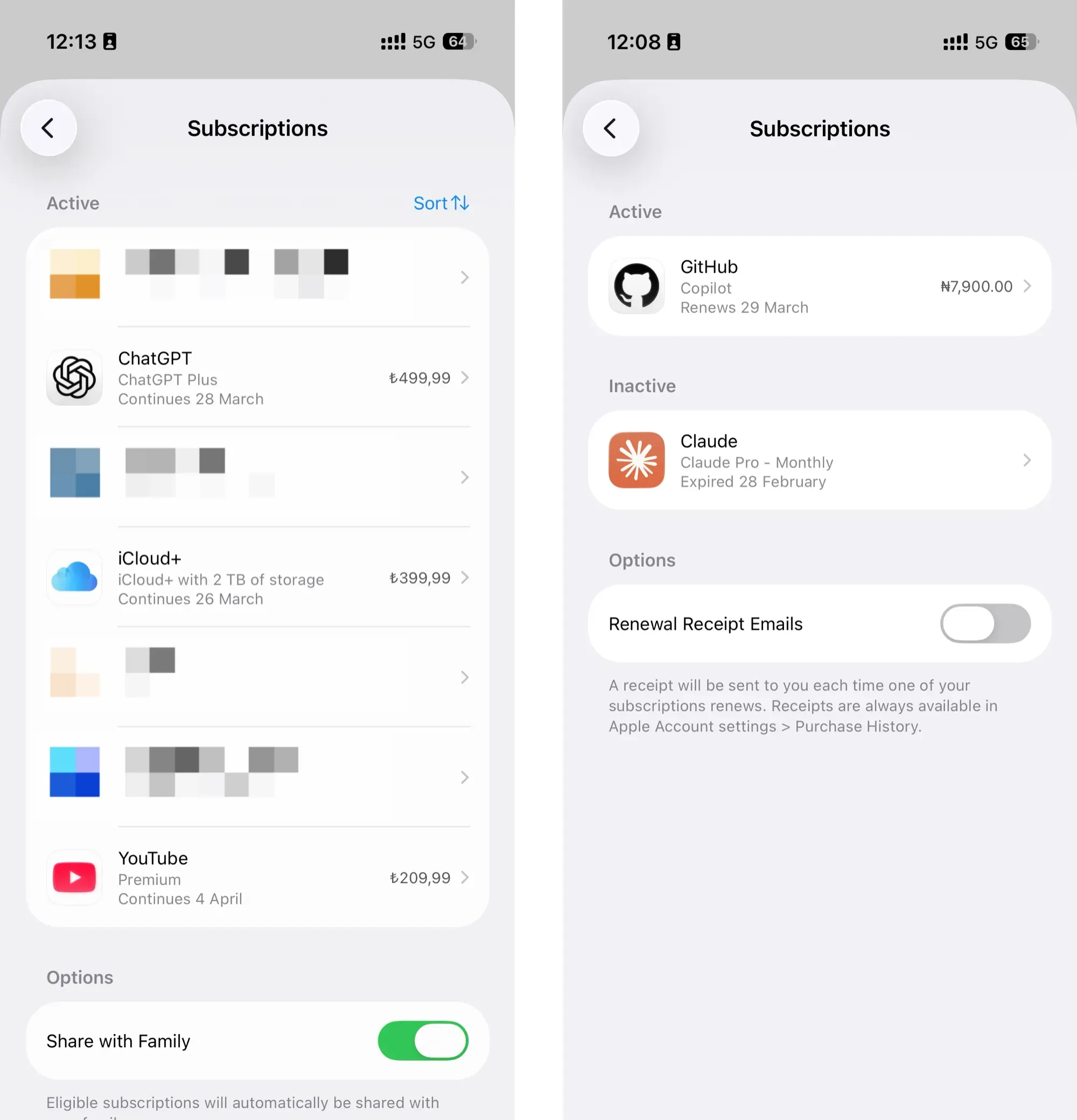
You’ll see there are two screenshots — that’s because they’re from two completely different App Store regions.
Let me walk through the entire process. Everything I’ve done here, you can do too — there are zero blockers.
Choosing a Region
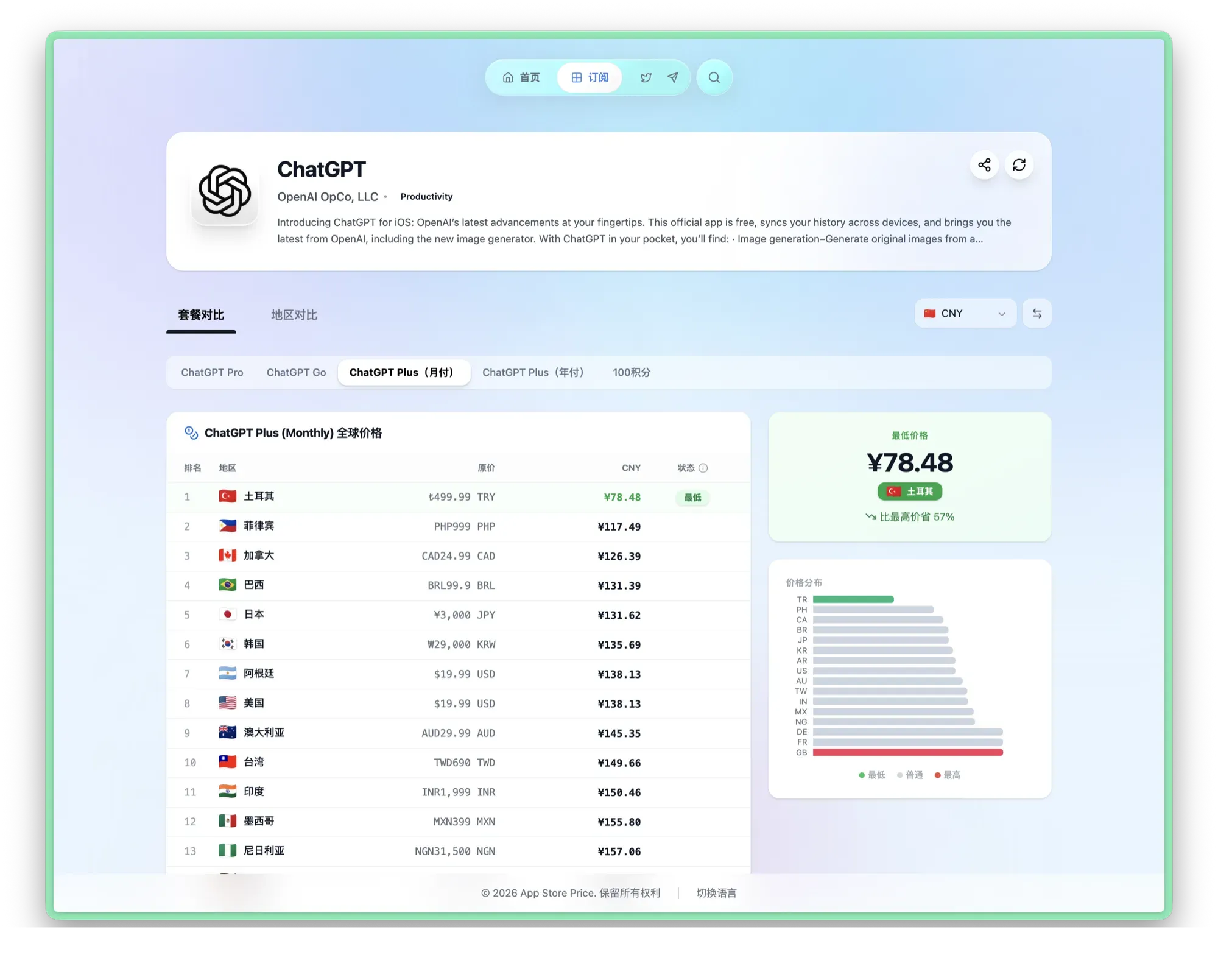
The first step is registering an App Store account in the right region. Say I want to subscribe to ChatGPT — but with App Store accounts spanning so many countries and regions, which one has the cheapest price?
Taking ChatGPT as an example with the ChatGPT Plus monthly plan: a website shows that the original $20 USD price drops to just ¥78 RMB in the Turkish App Store. So now we know we need a Turkish App Store account.
Apple ID Registration
What you’ll need:
- An iOS device (iPad or iPhone)
- A Turkish VPN node
- An email address for verification codes
- A Chinese phone number
1. Verify Your VPN Node
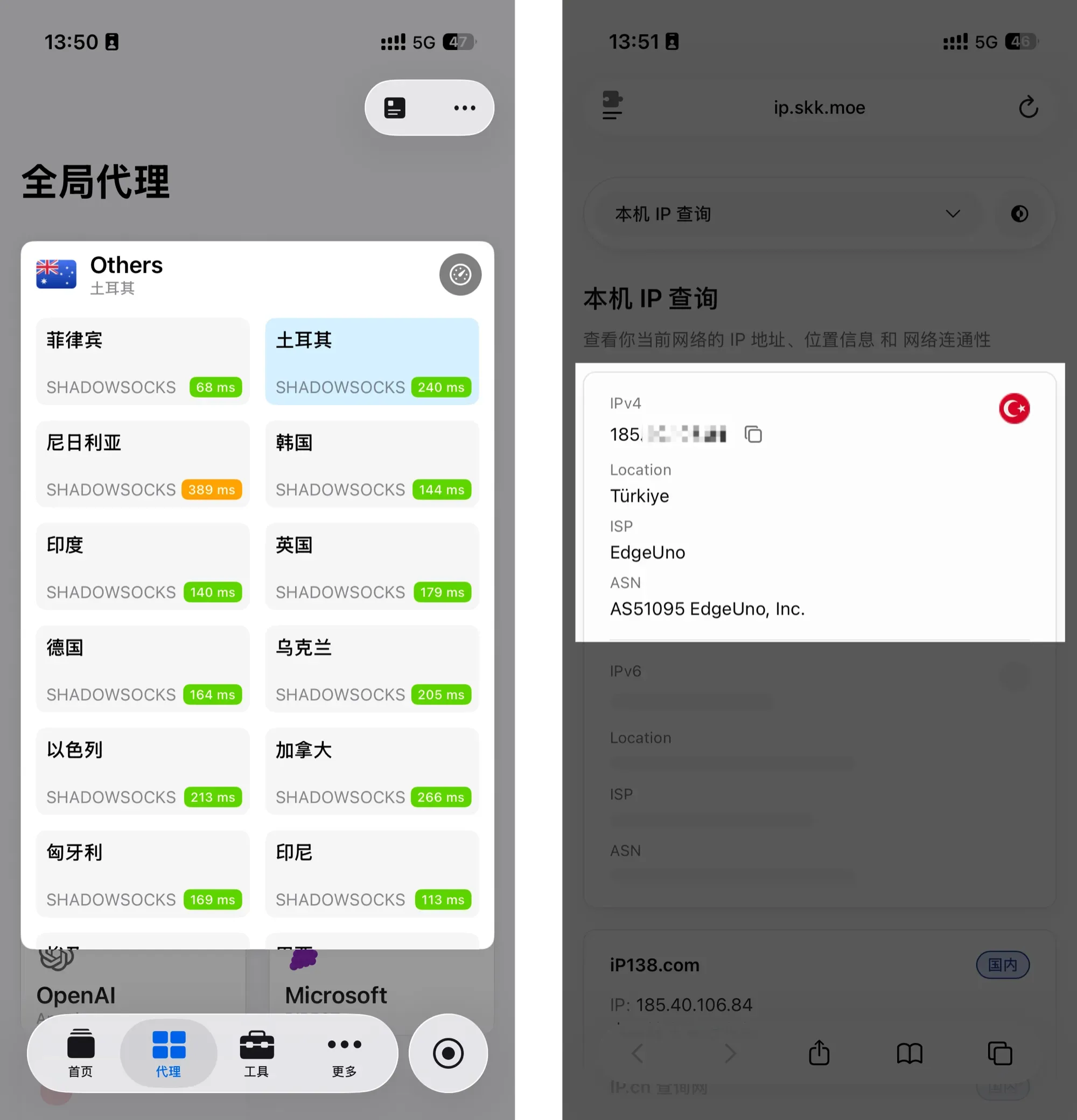
After connecting to a Turkish node, verify your IP address first. I recommend ip.skk.moe — clean and straightforward.
If your VPN provider doesn’t have Turkish nodes, you can pick another low-price region where you do have a node.
2. Register the Account
Go to account.apple.com and start the registration process.
Tip: Apple changed the Apple ID URL — it used to be appleid.apple.com, but both work now.
As long as the Apple ID region matches your VPN node’s location, registration should go smoothly.
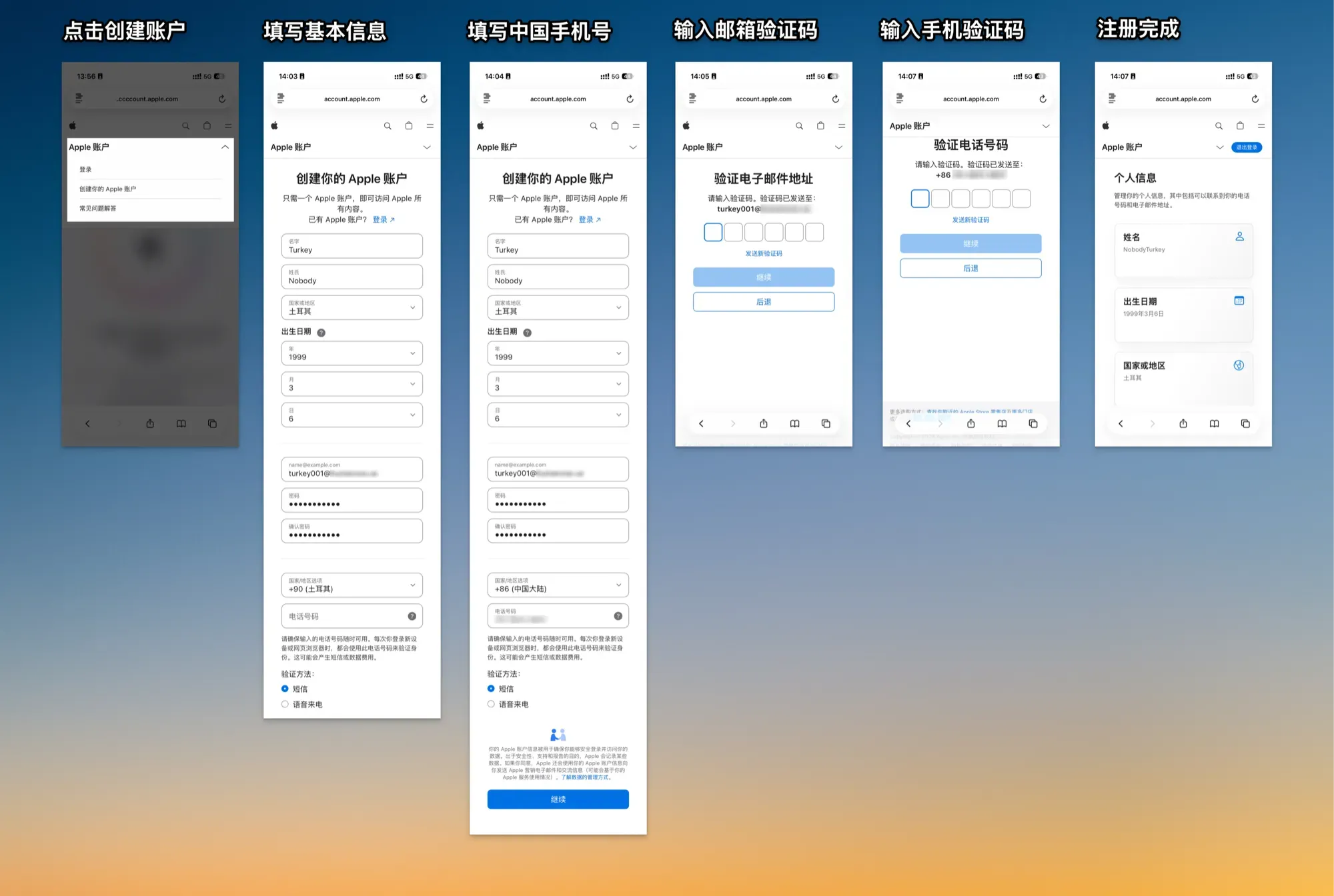
At this point, your Apple ID registration is complete and you can sign in on the iPhone App Store.
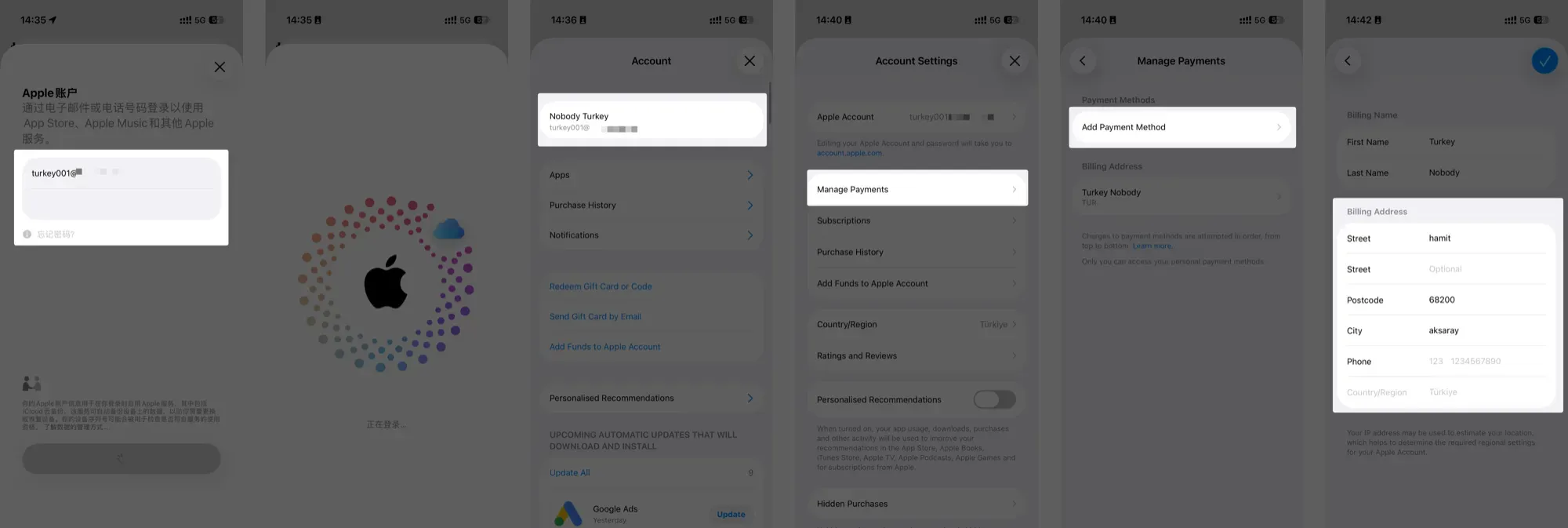
3. Fill in Payment Address
After signing in, you should fill in a Payment Address. Even without any Turkish payment methods, you still need to provide address information — otherwise Apple will prompt you when you try to make a purchase.
Just grab a random Turkish address from Google Maps. It doesn’t need to be very detailed — city, street, and postal code are enough. For the phone number, just enter the Chinese number you used during registration. No need for +86 — just type in the number starting with 1xx. No verification code needed.
Adding Funds to Apple ID
With the prep work done, it’s time to add funds to your Apple ID balance.
Gift cards for virtually any country can be found on Taobao, Xianyu (Idle Fish), and similar platforms. For Nigeria and Turkey specifically:
- Nigerian gift cards are currently only available through Xianyu. I haven’t found other reliable channels.
- Turkish gift cards can be found on both Taobao and Xianyu, or purchased directly from Turkish shopping platforms (requires a Visa/MasterCard issued by a Chinese bank).
I won’t recommend specific sellers — just search “Nigerian gift card” on Xianyu, sort by sales volume, and pick the cheapest option.
The Xianyu buying process is straightforward — after purchase, gift card codes are sent automatically. Just redeem them. For Turkish gift cards, if you have a Visa/MasterCard, you can buy directly from online platforms, which I’d recommend.
I suggest oyunfor.com — Turkiye’s Most Popular Website for Game Epin Sales and Digital Code Shopping.
The site defaults to Turkish, but you can use Google Translate to switch to Chinese or English.
Step 1: Open the shopping platform
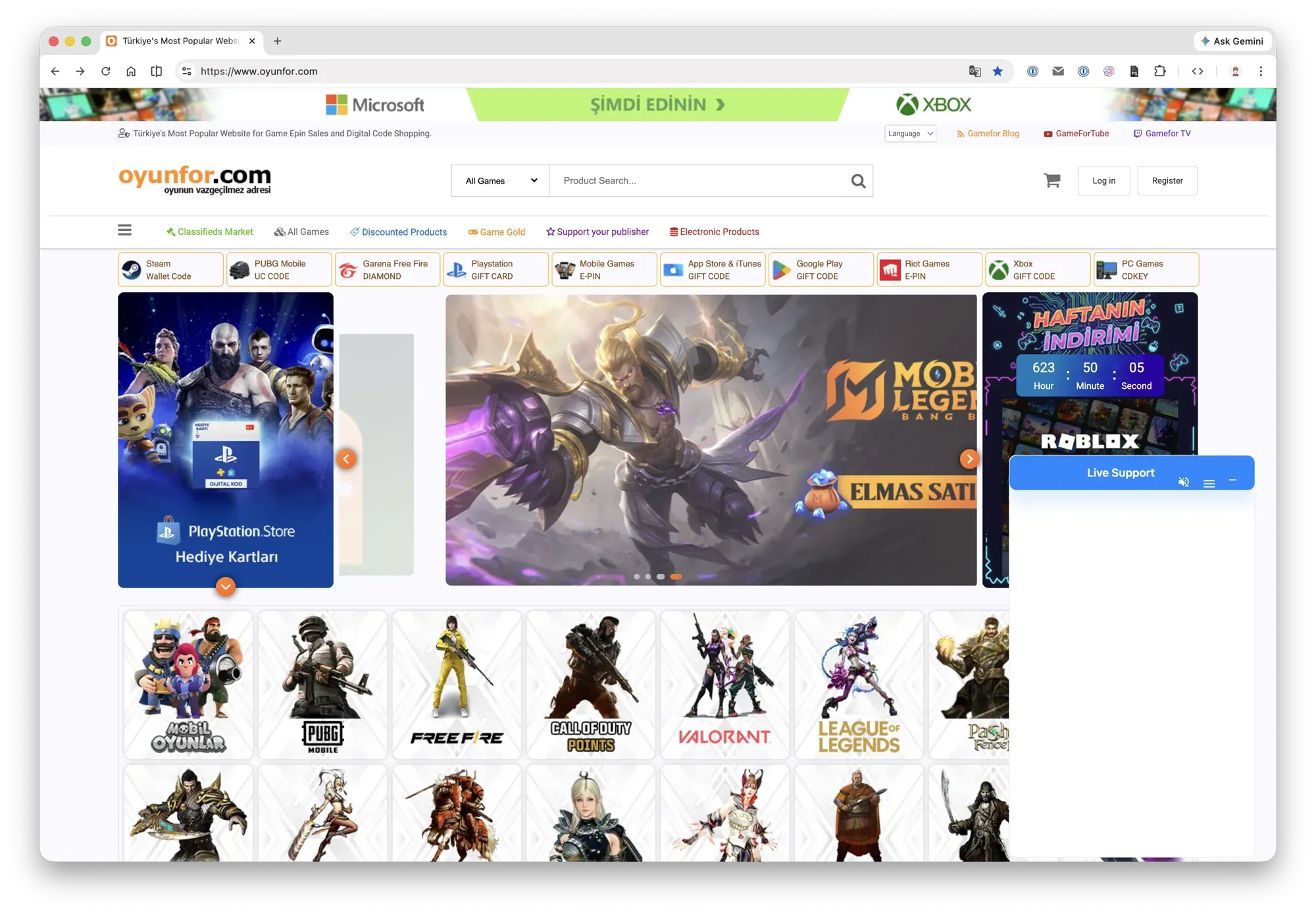
Step 2: Click the top-right corner to register, then log in
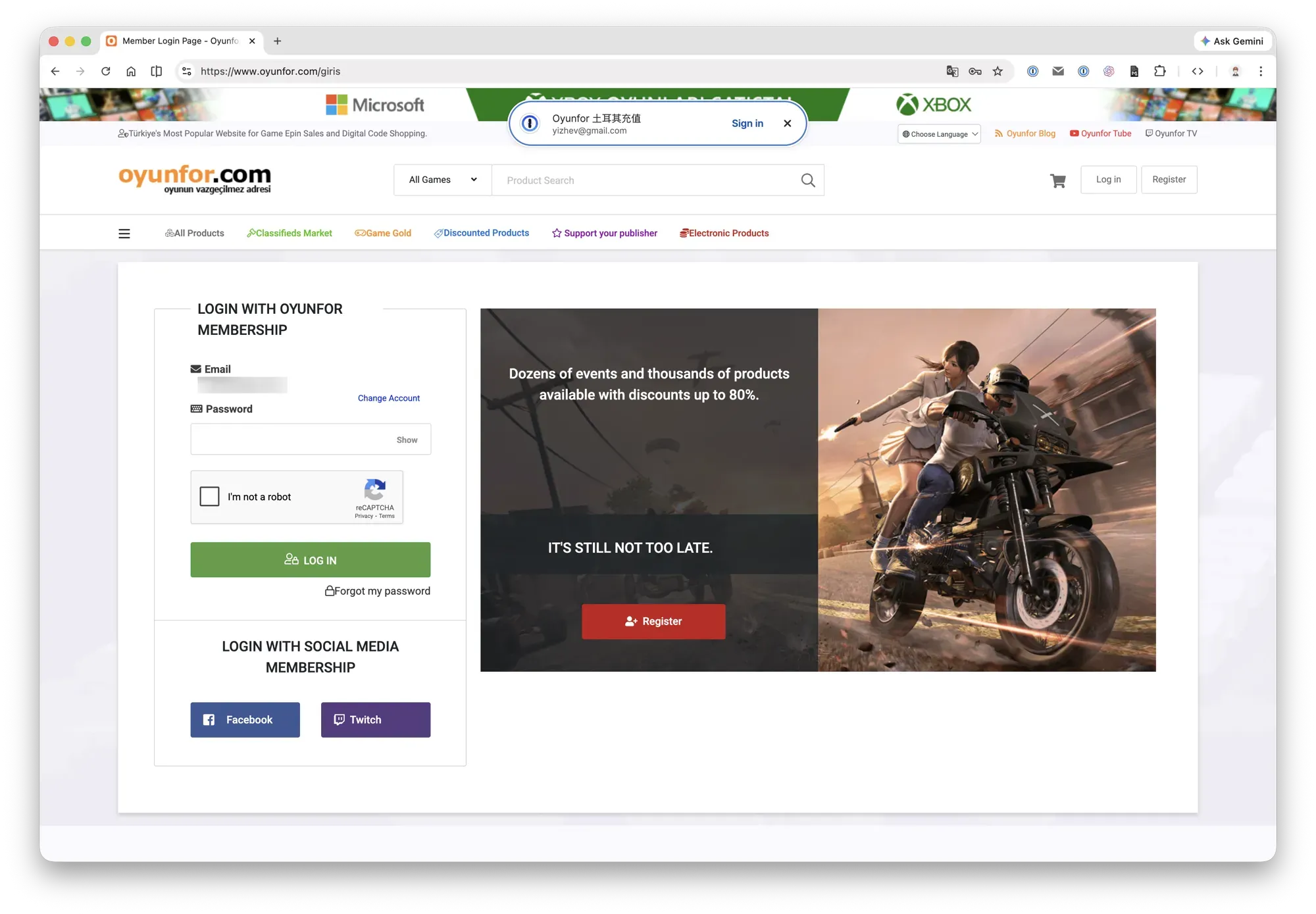
Step 3: After logging in, your username appears in the top-right corner
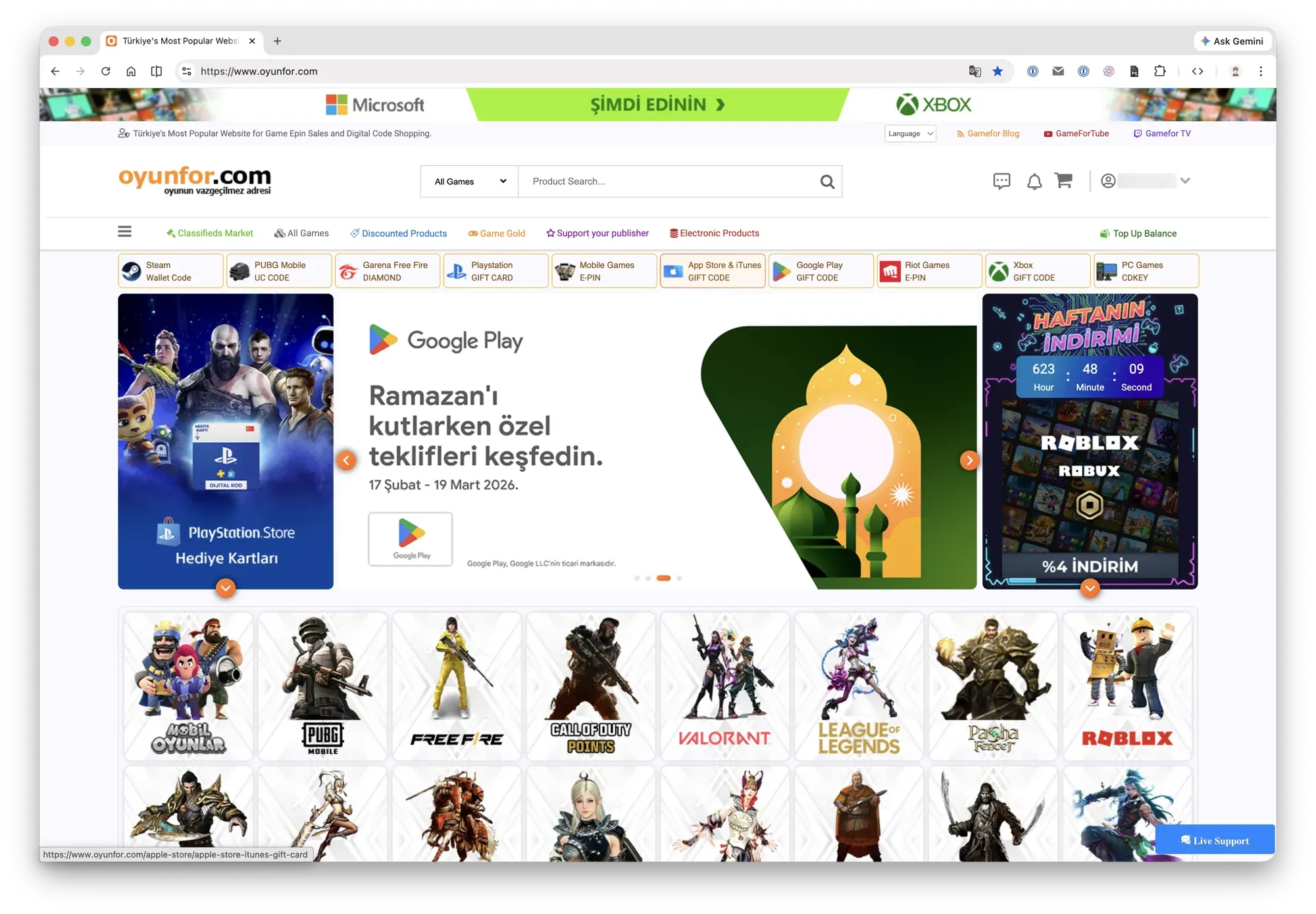
Step 4: Click the App Store gift card option at the top of the screen, select your denomination
If there’s no featured banner, you can search directly. After selecting a denomination, add to cart — it goes straight to the payment page.
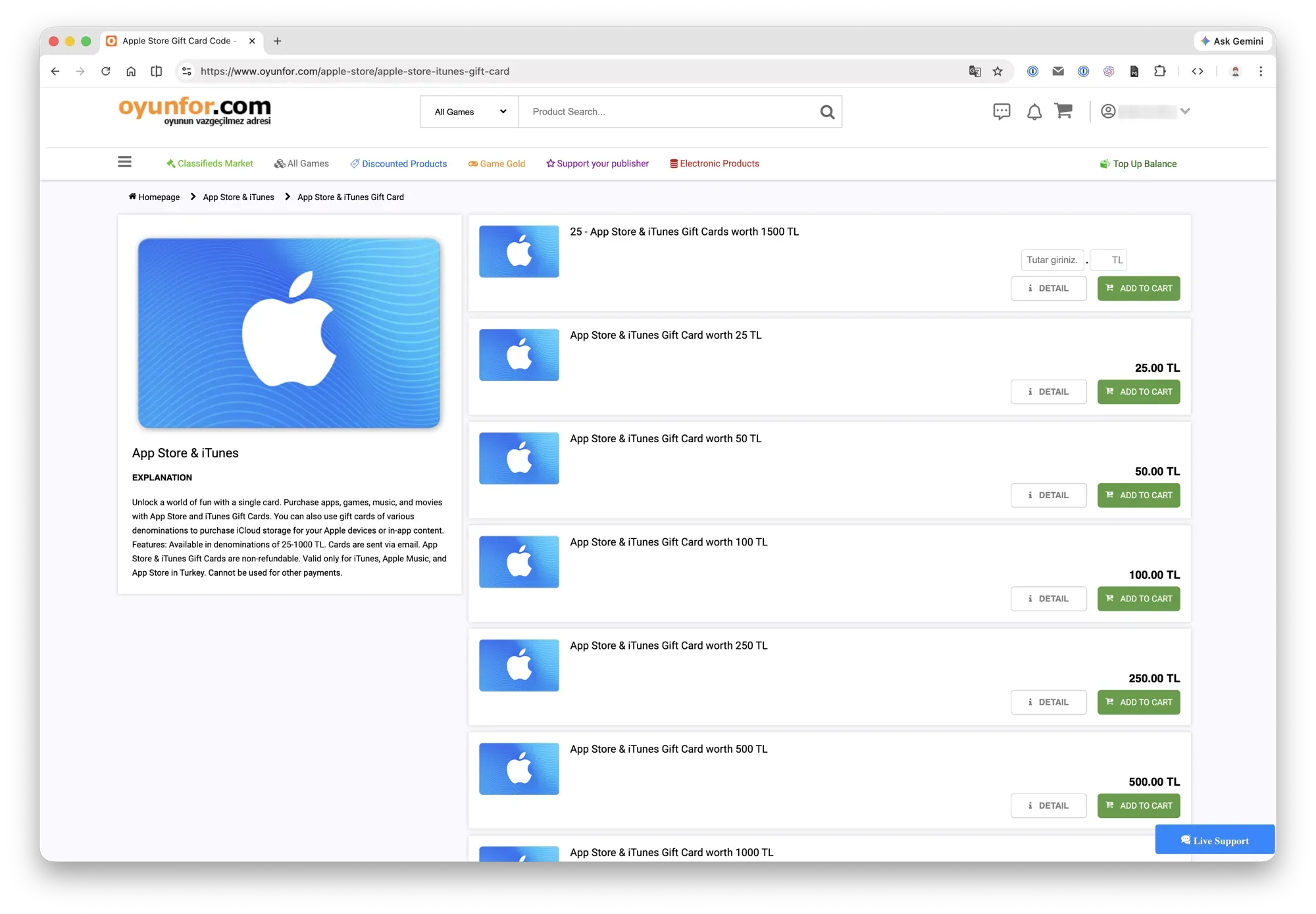
Step 5: Select a payment method
Here I’m buying 1000 TL (Turkish Lira). The platform supports credit cards and Binance Pay. For credit card payment, the right side shows three options — the first requires a local Turkish payment method, so choose one of the other two. The last one has lower fees and is recommended.
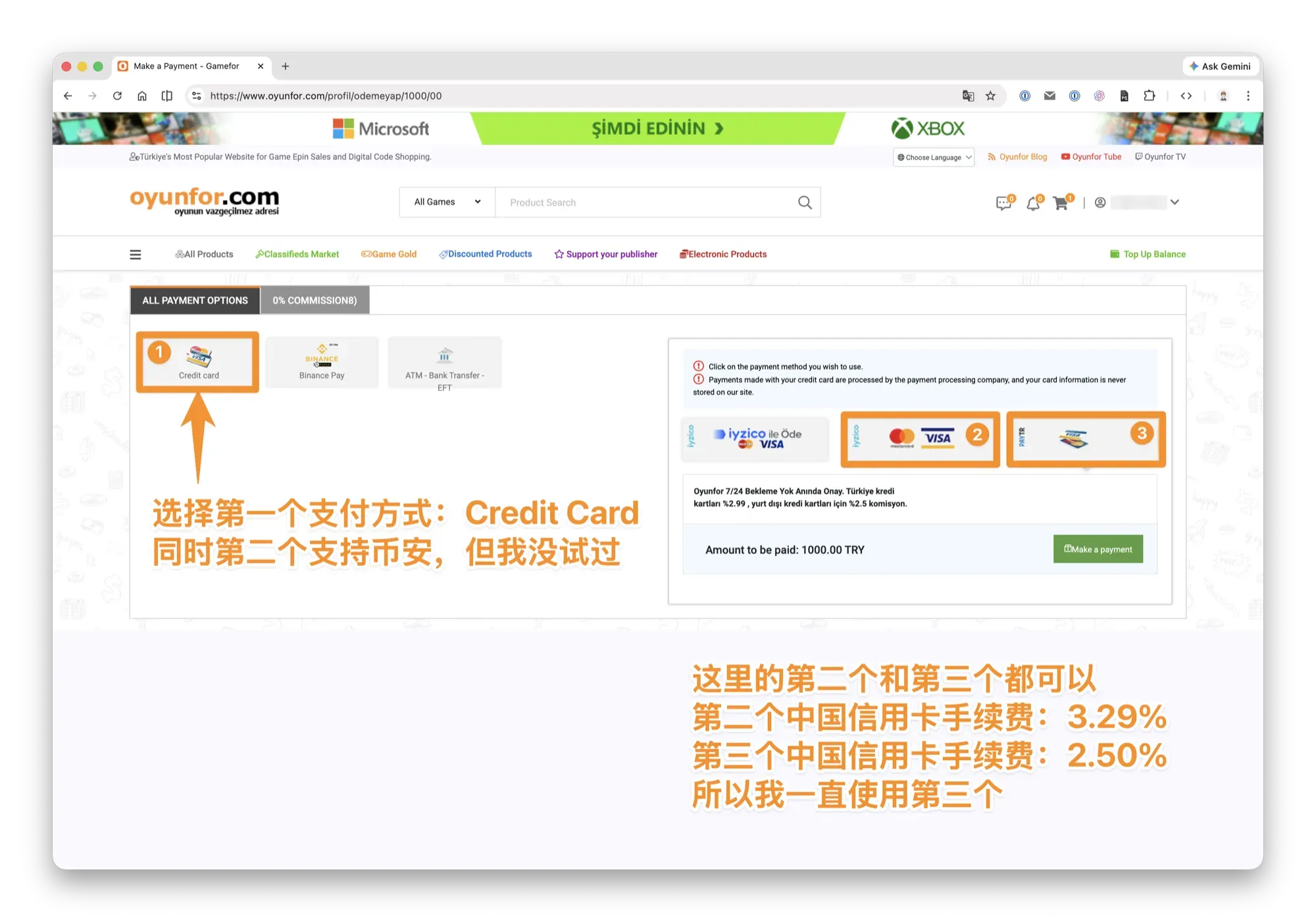
Step 6: Enter payment details
1000 Lira + 2.5% processing fee = total amount due. For first-time use, just enter your credit card number and expiration date.
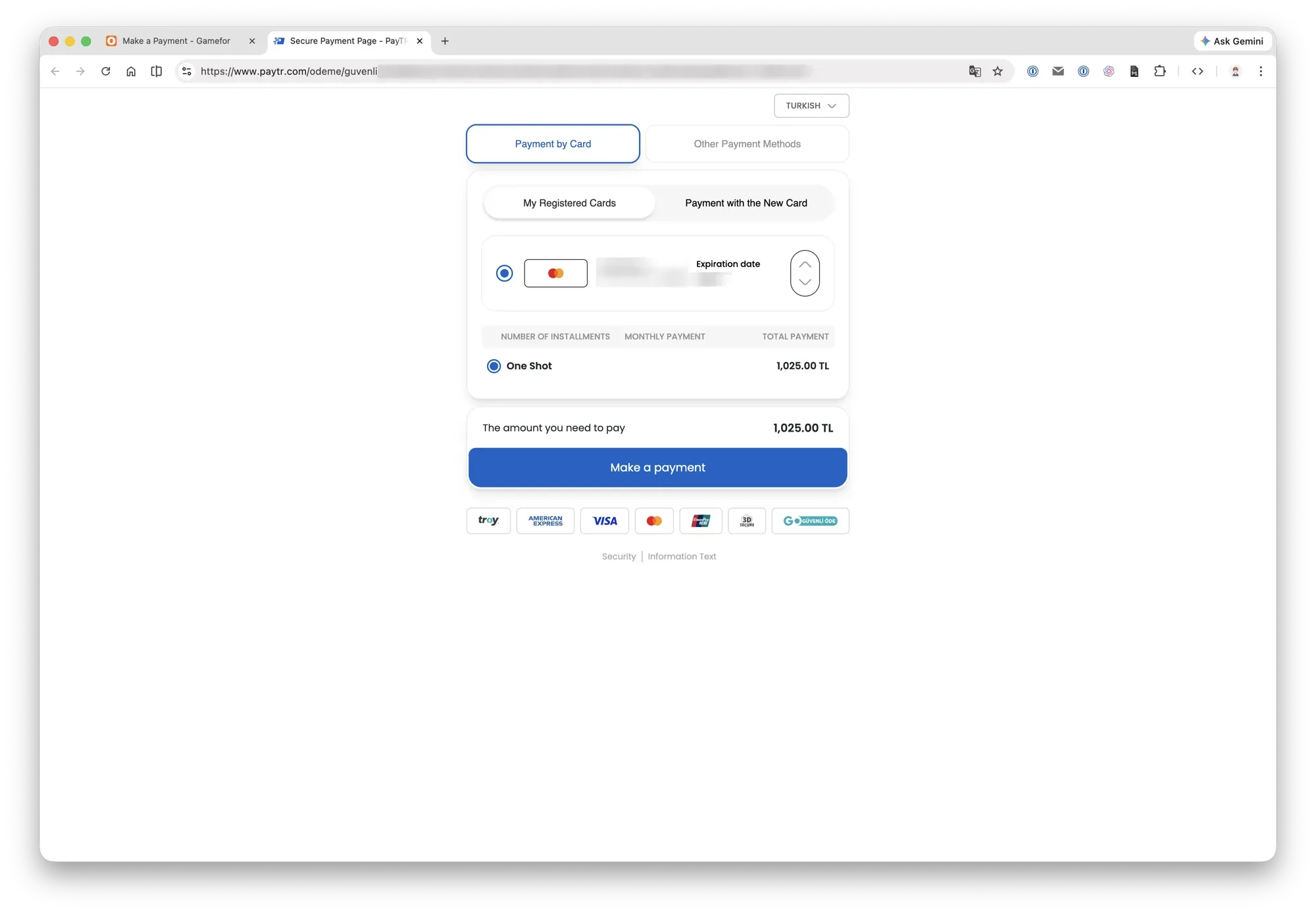
Step 7: Complete payment
Click to proceed with payment, enter the bank verification code, and the payment is done.
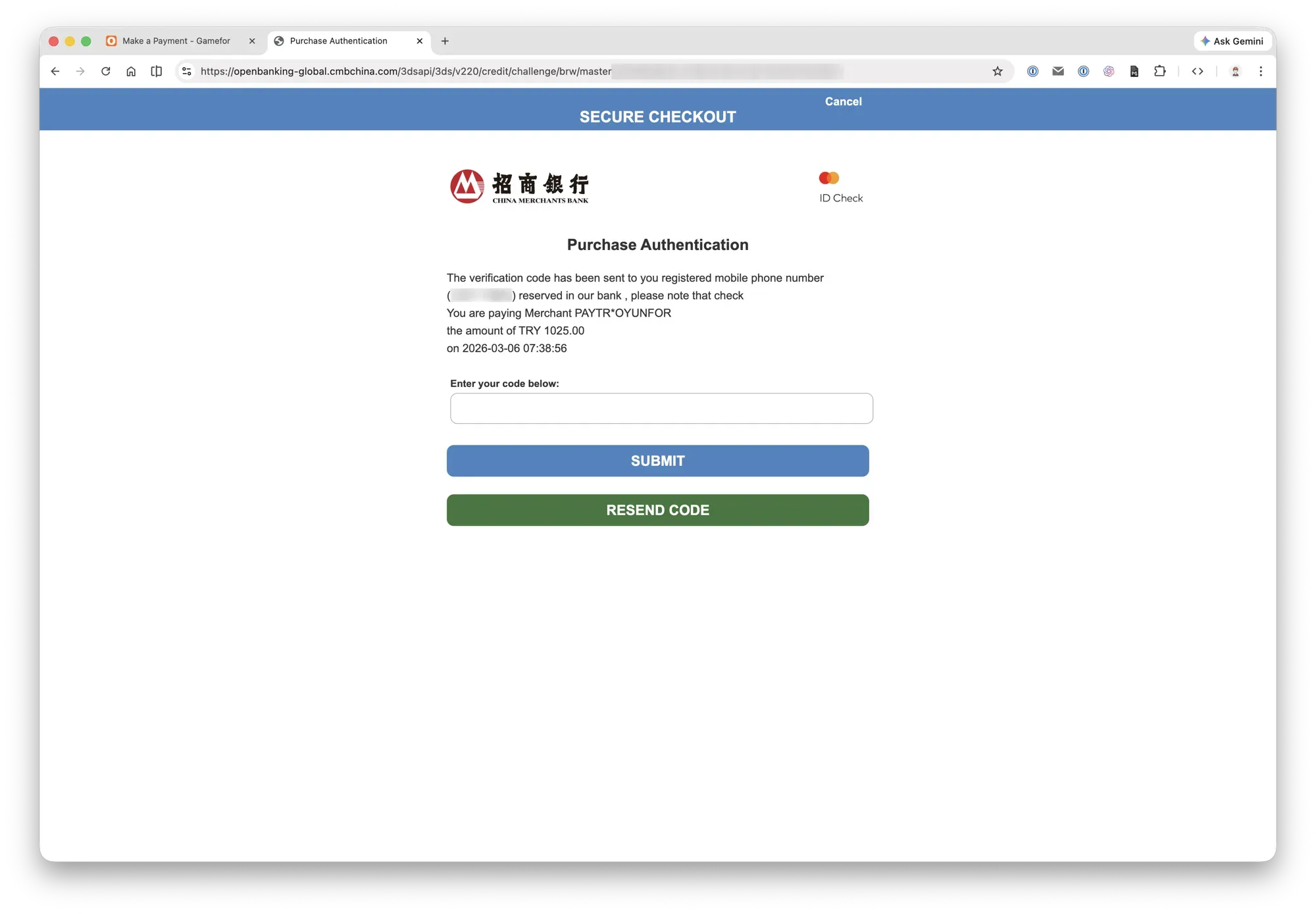
Step 8: Receive the gift card
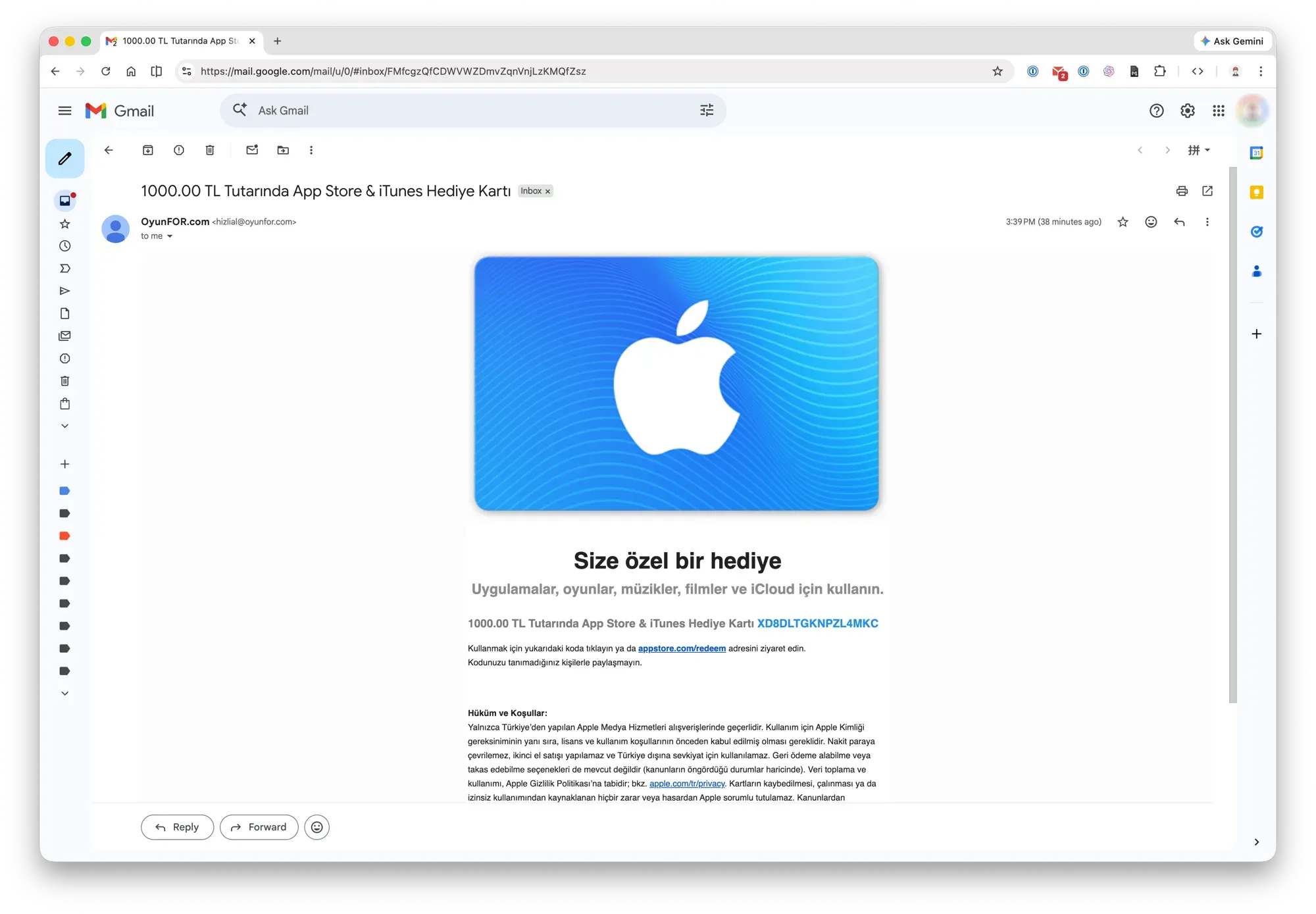
After payment, you’ll typically receive an email from Oyunfor within minutes containing the gift card redemption code(s). Multiple purchases come in one email with multiple codes — they won’t be split across emails.
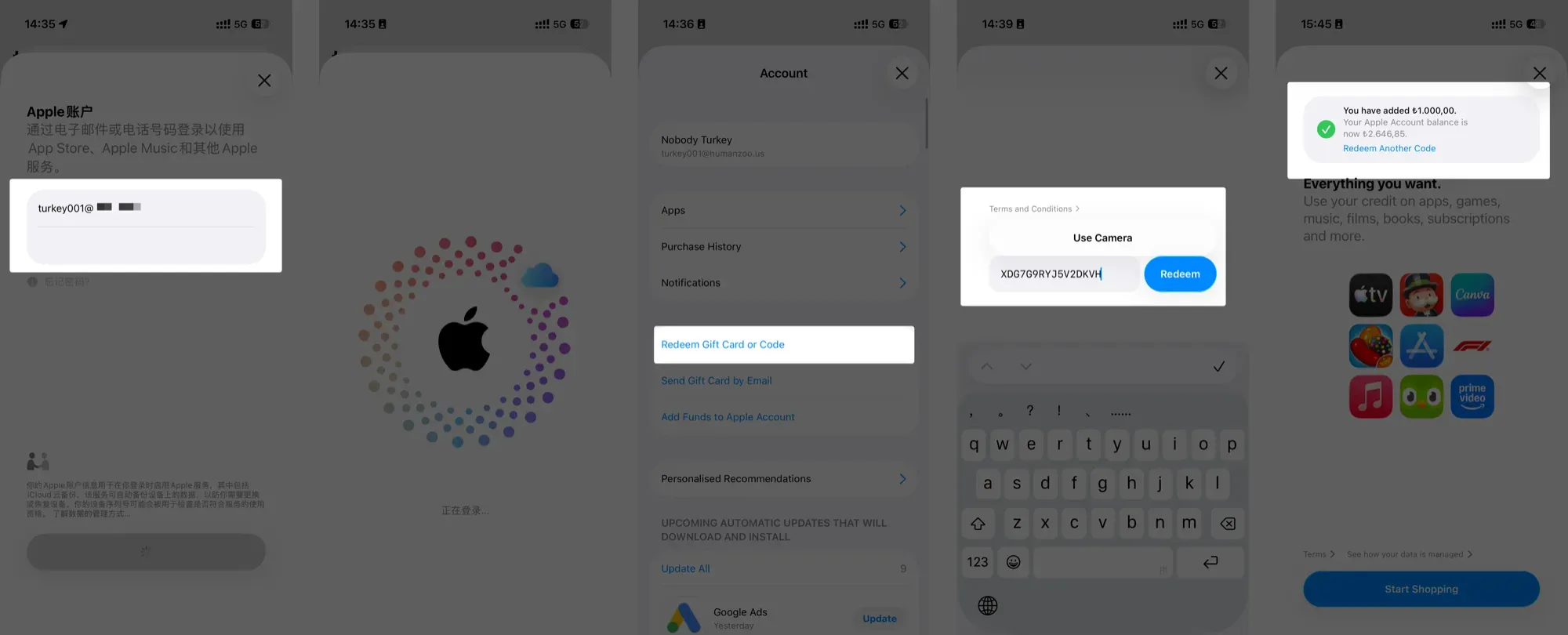
Finally, redeem the code in the App Store.
Purchasing a Subscription
Taking ChatGPT Plus as an example: first, sign in to the App Store with your Turkish Apple ID, then use that ID to download ChatGPT (if you previously downloaded it with a US or other region ID, delete and re-download it).
Once downloaded, open ChatGPT, log into your account, select the subscription plan, and purchase. If you enable auto-renewal, just make sure your Apple ID balance stays topped up. You won’t run into any account bans from ChatGPT or Claude this way.
And just like that, you have a legitimate, properly paid ChatGPT Plus subscription. No gray market, no stolen cards — everything through legitimate online channels.
If you want to subscribe to Claude Code’s Pro or Max plan instead, same process — check the website to find which region is cheapest.
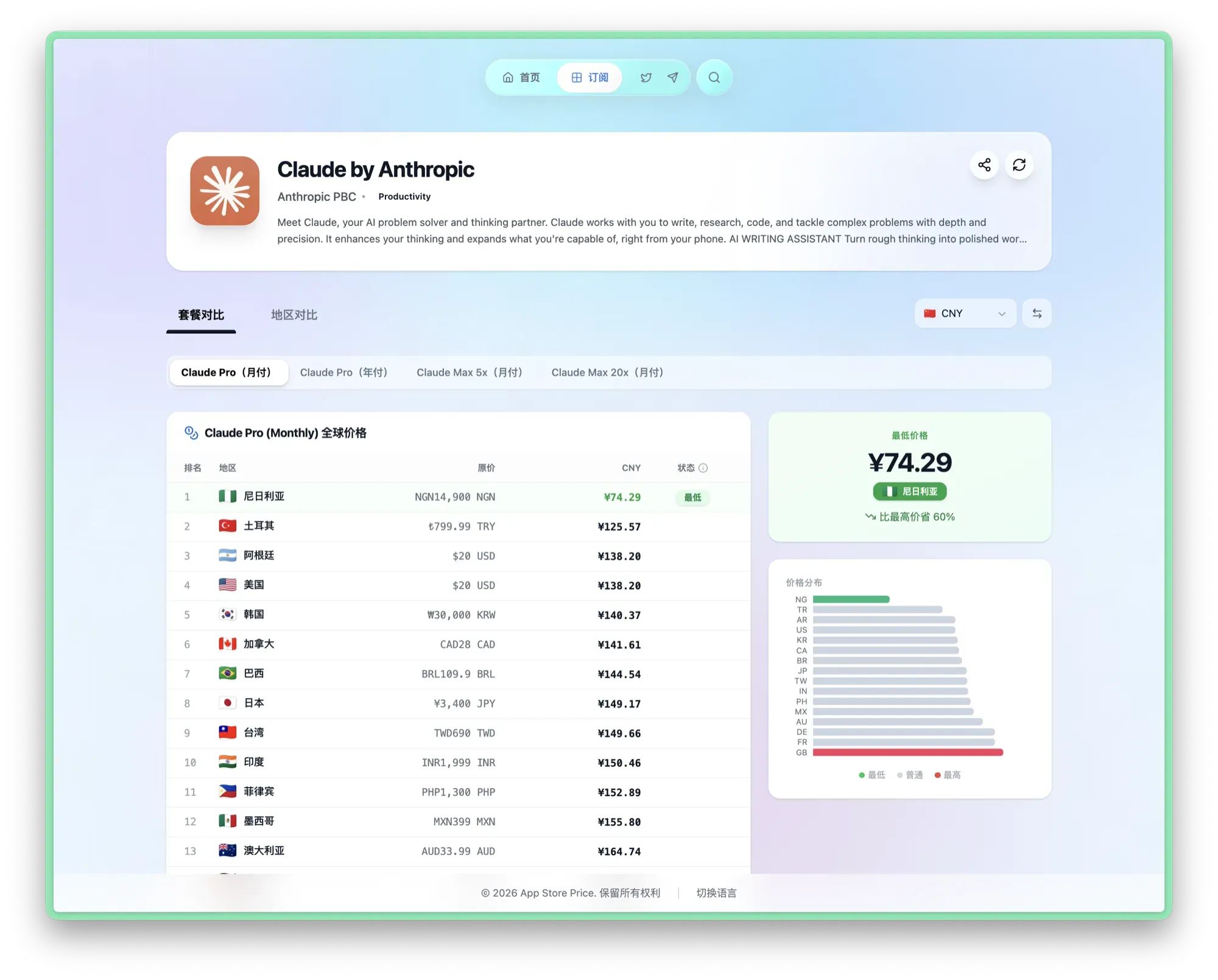
For Claude, Nigeria’s pricing is particularly attractive:
| Plan | Price |
|---|---|
| Pro monthly | ¥74 |
| Max 5x | ¥498 |
| Max 20x | ¥997 |
Rest assured — this is 100% the official, original model. No substitutions, no downgrades.
Here’s my actual setup: both of my Claude Pro accounts were purchased through Nigerian App Store Apple IDs. When the first account’s quota runs out, I just switch accounts in the Claude app and purchase again via in-app purchase — essentially paying double for 2x quota. When you do the math, getting 5x this way is actually slightly cheaper than buying the 5x plan directly.
Final Thoughts
That covers everything you need to know about getting stable, reliable ChatGPT and Claude subscriptions. The only tricky part is getting VPN nodes for Turkey/Nigeria/Philippines — if your current provider already has these nodes, you’re good to go.
Going forward, I’ll continue sharing AI subscription and usage tutorials on GitHub, including:
- ChatGPT / Claude account registration guide (solving regional restrictions)
- More low-price region gift card purchasing channels and comparisons
- FAQ: account security, auto-renewal, ban prevention
- Tips for efficient daily AI tool usage (prompts, workflows, etc.)
If you found this guide helpful, feel free to star the GitHub project page.